What is a Pending Transfer?
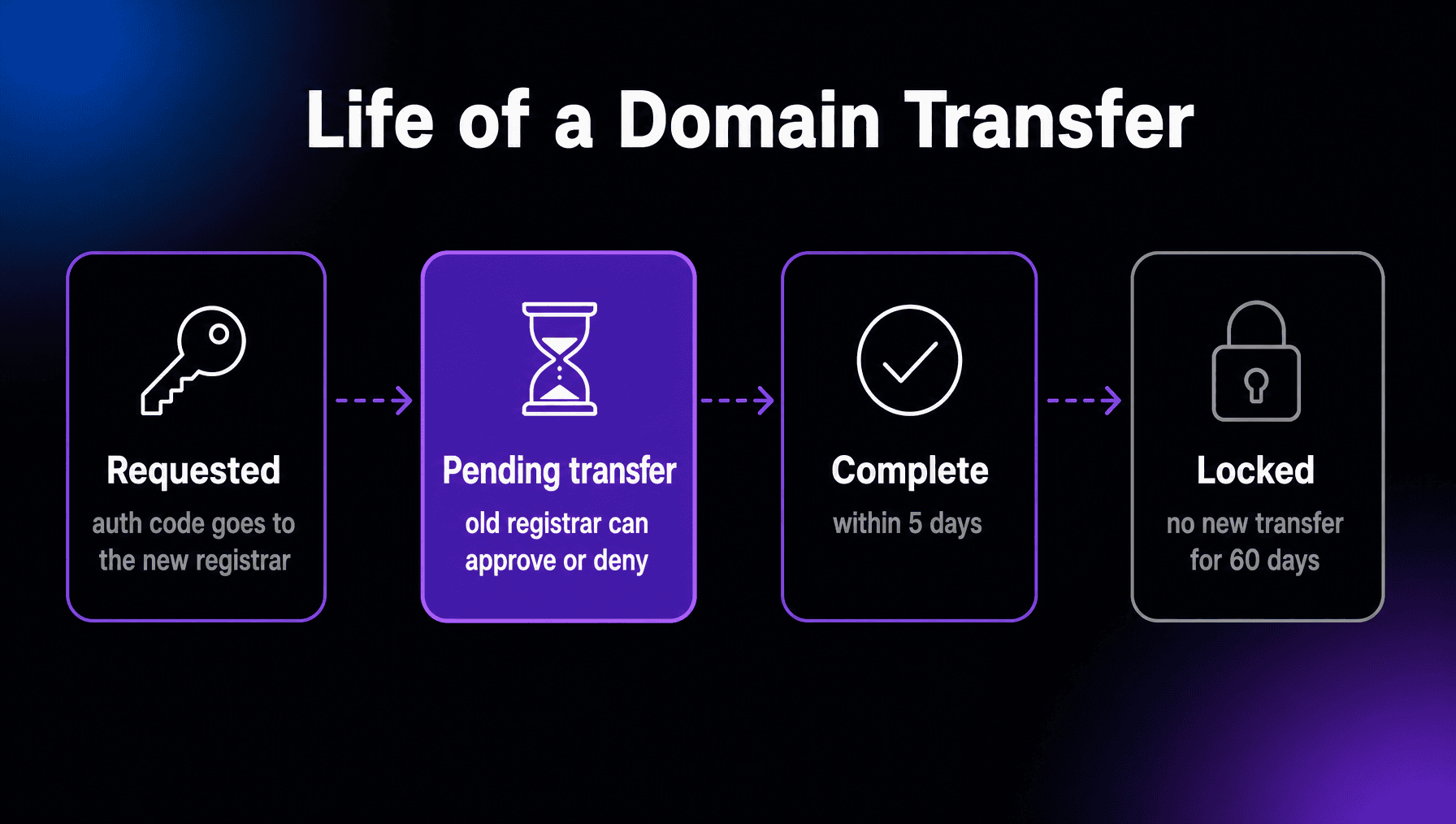
Pending transfer is a domain status meaning a request to move the domain to a new registrar has been submitted and is waiting to complete. The old registrar gets a short window to approve or deny the request; if it does nothing, the transfer finishes on its own within five days.
More About Pending Transfers
You’ll usually see this status right after starting a domain transfer: you request an authorization code from your current registrar, hand it to the new one, and the new registrar submits the transfer to the registry. From that moment the domain shows pendingTransfer in a WHOIS or RDAP lookup and the five-day clock starts.
What happens during a pending transfer?
Mostly waiting. The registry notifies your current registrar, which has up to five calendar days to respond. It can approve the transfer immediately, deny it for a small set of allowed reasons, or do nothing, in which case the transfer completes automatically when the window ends. The delay gives the registrar and the domain holder time to catch a transfer nobody authorized.
Does a transfer change who owns the domain?
No. A registrar transfer moves the domain’s management and billing to a different company; the registrant stays the same. Updating who owns the domain is a separate change you make in your registrar’s panel, no transfer required, but plan the order of operations: changing the registrant’s name, organization, or email triggers its own confirmation emails and, at most registrars including DreamHost, a 60-day transfer lock unless you opt out before making the change. Aftermarket sales often involve both steps at once, which is why the two get confused.
What can stop a pending transfer?
The most common blocker is the 60-day rule: ICANN’s transfer rules let your current registrar refuse a transfer within 60 days of registration or of a previous transfer, and virtually all registrars, including DreamHost, do. Beyond that, the old registrar may deny a transfer only for specific reasons, such as evidence of fraud, a reasonable dispute over who the holder is, or unpaid past registration fees. A wrong or expired authorization code is different: it fails before the domain ever reaches pending transfer.
Frequently Asked Questions
Why is my domain transfer still pending after a week?
It probably never started at the registry. Run a WHOIS lookup: if the status doesn't show pendingTransfer, the request was blocked before this stage, usually by a locked domain or a wrong authorization code, even though the new registrar's panel says pending. Unlock, re-check the code, and resubmit.
Will my website go down during a pending transfer?
No. A transfer changes which company manages the domain, not its DNS records, so the site and email keep working throughout. Just confirm your nameservers stay the same after completion, since some registrars retire their free DNS service once a domain leaves.
Can I speed up a pending transfer?
Often, yes. The registrar you're leaving may offer an approve or release button in its panel, and clicking it as the domain holder completes the transfer without waiting out the window, sometimes within the hour. Look under the domain's transfer or status settings.
Can I cancel a domain transfer that's pending?
Usually. Ask the registrar you're leaving to deny the request, or the new one to cancel it, before the transfer completes. Act quickly: after completion, you can't move back for 60 days.