What is a Slug?
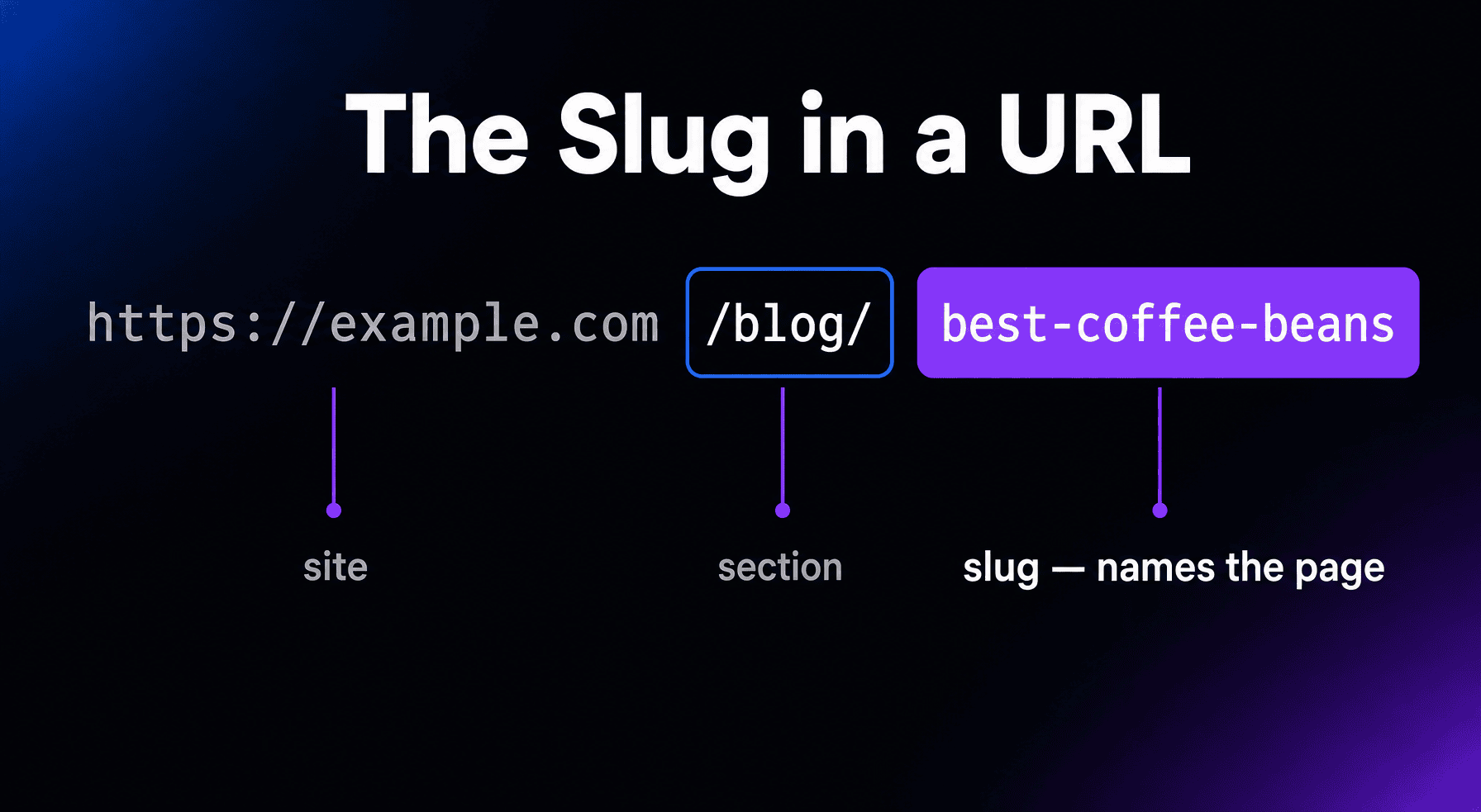
A slug is the last part of a URL’s path, the piece that identifies one specific page in human-readable words. In example.com/blog/best-coffee-beans, the slug is best-coffee-beans. Slugs usually compress the page’s title into a few lowercase words separated by hyphens, which makes them easy to read and share.
More About Slugs
Every page on a site needs its own address, and the slug is the part that makes the address meaningful to a human. The rest of the URL locates the site and section; the slug names the page. For the full breakdown of the other parts, see our guide to URLs.
What makes a good slug?
Short, descriptive, and stable. Keep the few words that carry the page’s meaning and cut the rest: “best-coffee-beans” beats “the-10-best-coffee-beans-you-can-buy-in-2026”, which will read as stale within a year. Use lowercase letters and hyphens between words. Skip dates, filler words, and anything you might want to change later.
Slugs in WordPress
WordPress generates a slug automatically from the page title as part of the permalink, and that first draft almost always runs long. You can edit it in the editor’s Slug field before publishing: shorten it to the core keywords and check for typos, because this is your last cheap chance to change it. WordPress also gives slugs to categories, tags, and authors, which is why archive pages have readable addresses too.
Does changing a slug hurt SEO?
Only if you skip the redirect. Changing a slug changes the page’s URL, so without one, every existing link and bookmark points at a dead address. WordPress automatically redirects old post slugs to new ones, but that safety net doesn’t cover pages and can break when other settings change, so set an explicit 301 redirect anyway. Search engines follow it and transfer the page’s ranking signals; without any redirect, the page loses its accumulated signals and has to re-earn them. That’s why the best slug strategy is boring: pick a good one once and never touch it.
Frequently Asked Questions
What’s the difference between a slug and a URL?
The slug is only the final segment of the path. A full URL also carries the protocol, domain, folders, and sometimes a query string after it. Search engines treat the whole URL as the page’s identity; the slug is just the part you get to choose.
Can two pages have the same slug?
Two posts of the same type can’t share a slug on one WordPress site: the second gets a number, turning my-post into my-post-2. Pages only need unique slugs among their siblings, so /services/design and /portfolio/design can coexist. Different sites never conflict.
Do keywords in the slug help rankings?
A little. Google treats words in the URL as a very lightweight ranking signal, mattering mostly before a page has been crawled. The bigger payoff is legibility: readers, and the AI tools that cite pages, use the slug to judge what a page is about.
Should I put dates in my slugs?
Usually no. A date locks the page in time, and removing it later means changing the slug, which requires a redirect. Leave dates out unless the content is genuinely tied to one event, like a conference recap.