What is text-decoration?
Text-decoration is the CSS property that draws lines on text: underlines, overlines, and line-throughs. It’s shorthand for four longhand properties controlling the line’s type, color, style, and thickness, so one rule like text-decoration: underline wavy red can set all of them. Its most common use is removing link underlines.
More About text-decoration
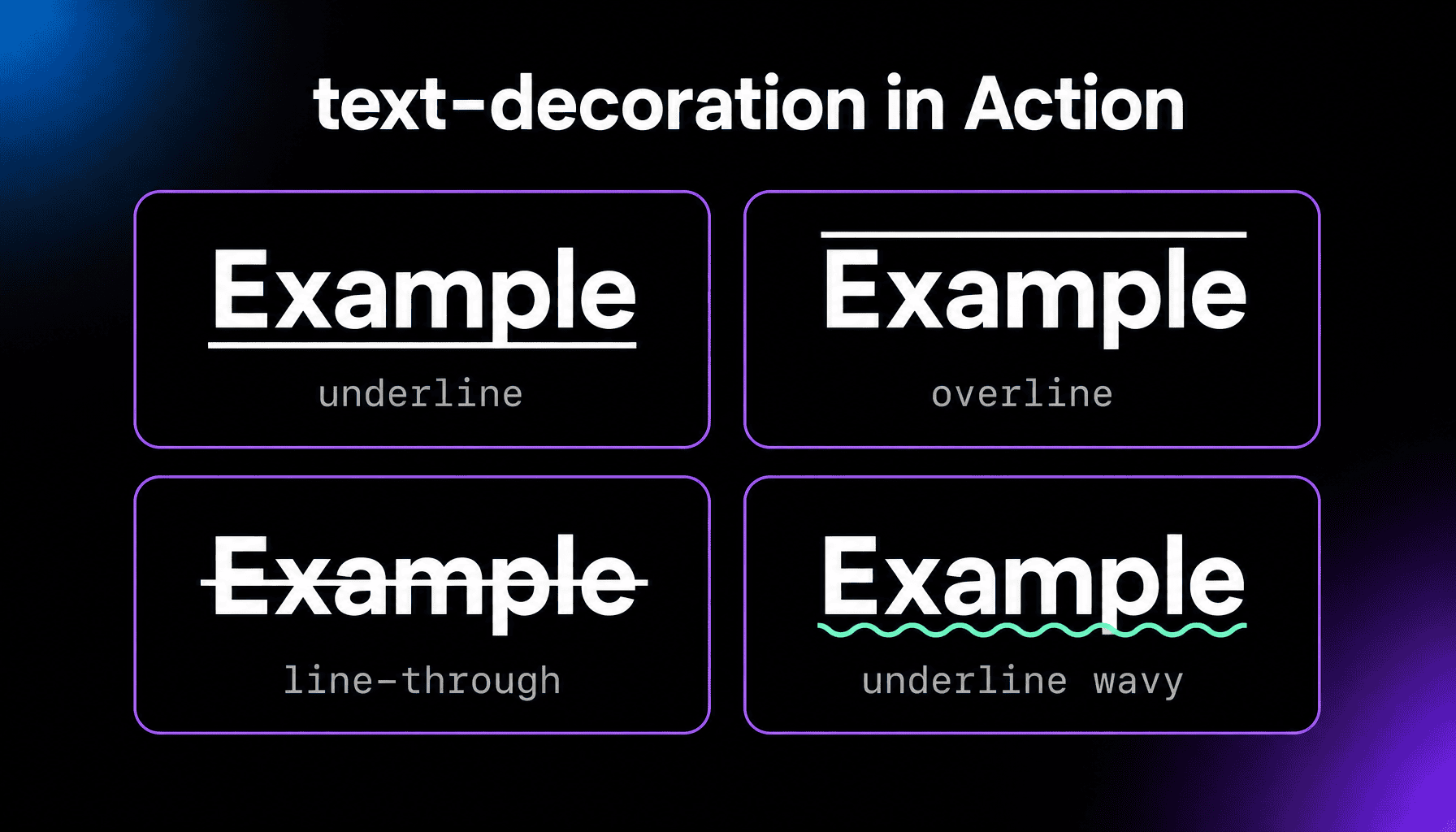
Browsers use this property themselves: links come underlined because the default stylesheet applies text-decoration to them, which is why the property shows up in almost every site’s CSS. The diagram above shows the main values in action.
What can text-decoration style?
Four things, each with its own separate longhand property. The line type (text-decoration-line): underline, overline, line-through (a strikethrough), or none. The color (text-decoration-color): any CSS color, independent of the text’s own. The style (text-decoration-style): solid, double, dotted, dashed, or wavy. And the thickness (text-decoration-thickness): a length, a percentage, or the font’s own preferred thickness. The shorthand takes them in any order:
a { text-decoration: underline wavy red 2px; }
One support note: Safari only began accepting style, color, and thickness in the shorthand in late 2025, and older Safari drops the whole rule. If you need to reach those browsers, set the longhand properties instead; they’ve worked everywhere for years.
Styling link underlines
The classic rule a { text-decoration: none; } removes underlines from links. If you remove them, links need a cue that doesn’t depend on color alone: a bolder weight works, or, if color is the only resting difference, pair a strong contrast with the surrounding text with an underline or similar highlight on hover and focus. Modern CSS also lets you make underlines nicer instead of removing them, with text-underline-offset to move the line further from the text and text-decoration-color to soften it.
The inheritance catch
Text decorations aren’t inherited in the normal CSS sense; they’re drawn across everything inside the decorated element. A span inside an underlined paragraph stays underlined even if you set text-decoration: none on the span, because the line belongs to the paragraph, not the span. To exempt a child, change its display type: display: inline-block makes it its own box, so the parent’s line stops at its edge.
Frequently Asked Questions
How do I remove the underline from all links?
Add a { text-decoration: none; } to your stylesheet, or target a class for just some links. In WordPress, block themes keep Additional CSS under Appearance, Editor, Styles, in the three-dot menu; classic themes under Appearance, Customize. Keep a visible hover and focus style.
Why does text-decoration: none not work on my element?
First check whether the line comes from an ancestor, since a child can't cancel a parent's decoration. If not, another rule is winning: themes often re-apply underlines on hover or visited states with more specific selectors, so inspect the element to see which rule draws the line.
What's the difference between text-decoration and border-bottom?
By default an underline sits close to the text, breaks where it would cross letters like g or p, and starts and stops with the words. A border-bottom belongs to the element's box: it sits lower, runs the box's full width, and adds spacing you may need to manage.
Does using text-decoration affect SEO?
No. Search engines don't rank pages by underlines or strikethroughs; style it for readers. The one indirect effect is usability: links people can't recognize don't get clicked.